
Be there when someone needs help.
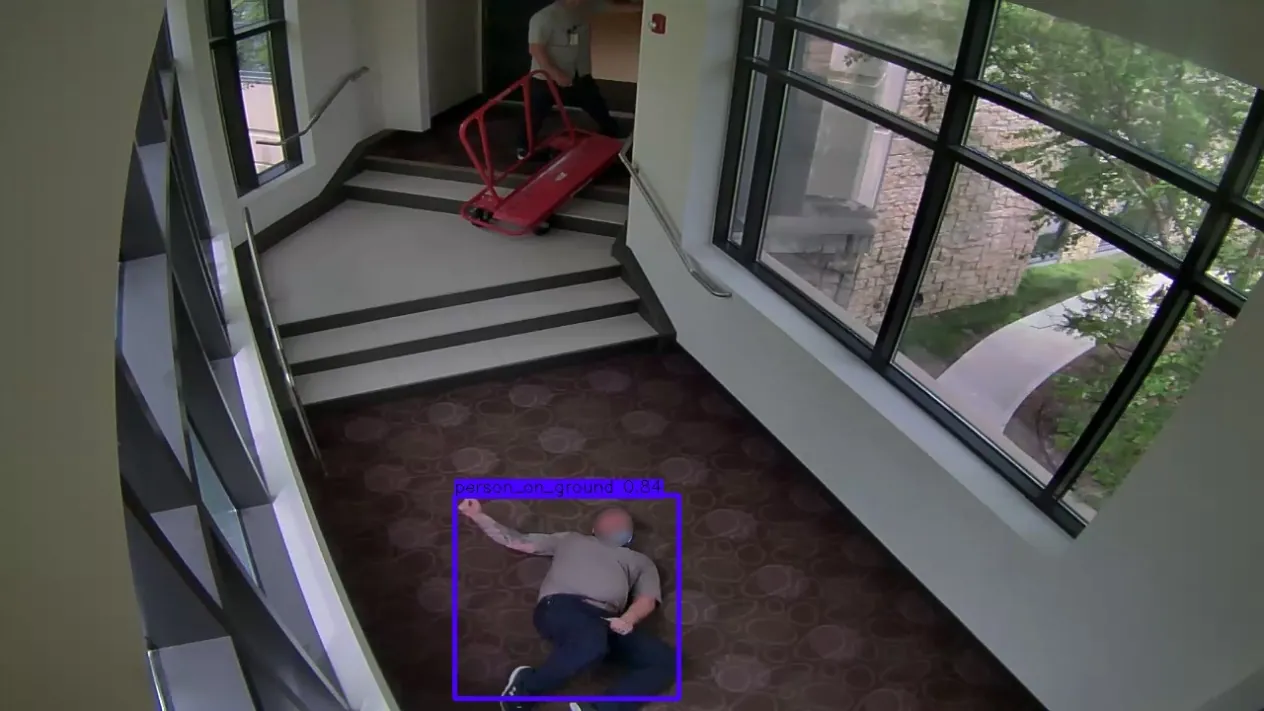
Bring person-down events and everyday floor hazards into view.
AI SAFETY SOFTWARE. HUMAN PURPOSE.
The student finding their classroom. The patient between check-ins. The team keeping a busy day moving. Give your cameras a more useful role in looking after them.
START WITH YOUR PEOPLE
Find a starting point in the work your team already does.
Bring person-down events and everyday floor hazards into view.
See visible threats and activity in configured restricted areas.
Understand vehicle activity and gathering levels in shared spaces.
YOUR CAMERAS CAN DO MORE

safety
Bring a person-down event to the team that can help.

safety
Give cleanup teams a clearer view of spills and wet floors.

safety
Add camera-based context to your fire-safety program.

security
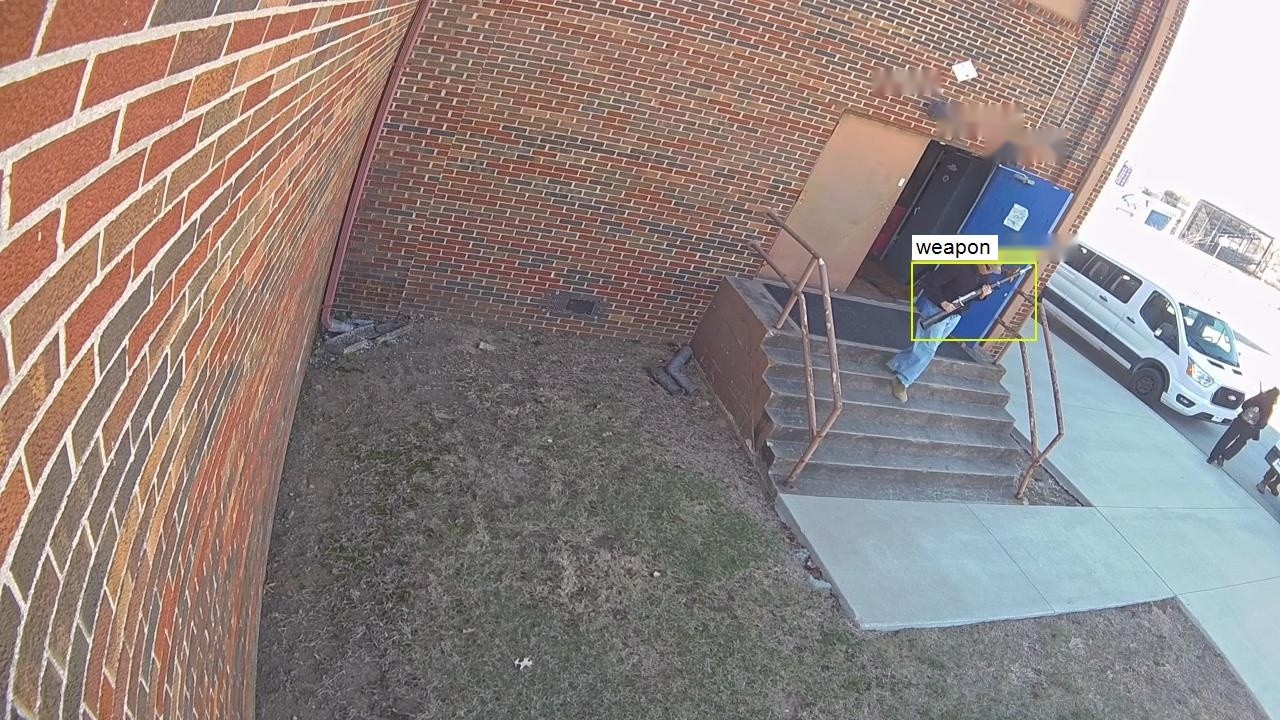
Surface visible weapons with an image and location.

security
Bring configured restricted areas into focus.

security
See when presence extends beyond a configured dwell time.

security
Extend awareness to elevated, restricted spaces.

operations
See vehicle activity around gates, lots, and loading areas.

operations
Understand gathering levels in camera-covered spaces.

operations
Bring visible device use into your policy workflow.
BUILT TO WORK TOGETHER
Combine configured detection types on the same camera feeds. Shape coverage around each space, then connect events to the team that can respond.
The ONVIF and RTSP camera feeds you already own.
Video is analyzed on an on-premises appliance.
Zones, schedules, and Mask by Risk rules set per camera.
Alerts reach the people and supported notification tools you choose.
Configuration
Shape detection around the way your spaces are used. Mask by Risk lets you suppress selected risk types inside a drawn camera zone.
Now in early access
Incidents group related detections from the same camera so your team can acknowledge, assign, and resolve them, with escalation if nobody answers.
Good questions
No. IntelliSee connects to the ONVIF and RTSP IP cameras you already own and analyzes their feeds on an on-premises appliance. Every detection on this page runs on existing camera coverage.
Yes. Each camera can run any combination of the live detection types, with zones, schedules, and Mask by Risk rules set per camera, so a lobby camera can watch for weapons, falls, and loitering at the same time.
Weapons, falls, loitering, crowd, vehicle, cell phone, slip risk, rooftop intrusion, perimeter control (including unauthorized access to configured restricted areas), and smoke and fire are live. Forklift proximity and PPE compliance are in development and are not offered as live capabilities.
No. IntelliSee classifies objects, postures, and behaviors, not identities. There is no facial recognition, no biometric capture, and no PHI collection. Alert images, and short clips where enabled, are kept according to your organization's settings.
Case studies and scenarios
Your spaces. Your priorities.
Bring your camera setup and the moments that matter. We’ll explore the fit together.
Free camera review
Tell us about your site. We will review your priority camera views, the events that matter most to your team, and how an alert would reach the right people.
Prefer to talk now? (866) 222-6350
Step 1 of 2 · About you